Mission 2: Device Operations
Estimated time: 30 minutes
Learning Objective
Learn how to read from and write to IoT devices using both the Device Card interface and Logic Flows. This mission covers direct device interaction and integrating IoT operations into automated workflows.
Prerequisites
Refer to the Navigation Guide to familiarize yourself with the platform interface before starting this mission.
BLOX Used in This Mission
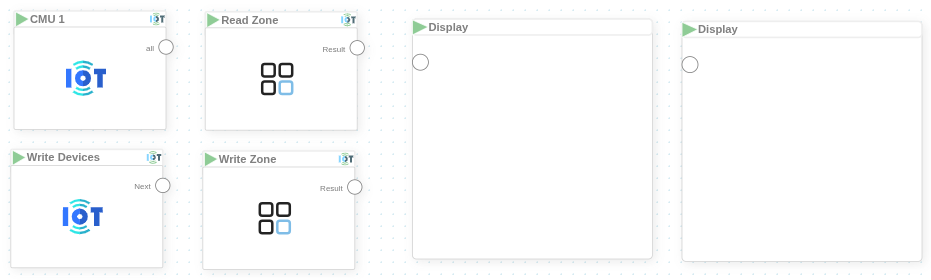
- MyDevices/{your_device}
- MyDevices/Write Devices
- MyDevices/Read Zone
- MyDevices/Write Zone
- Basics/Display (x2)
Step-by-Step Instructions
1. Read and Write Device Properties via Device Card
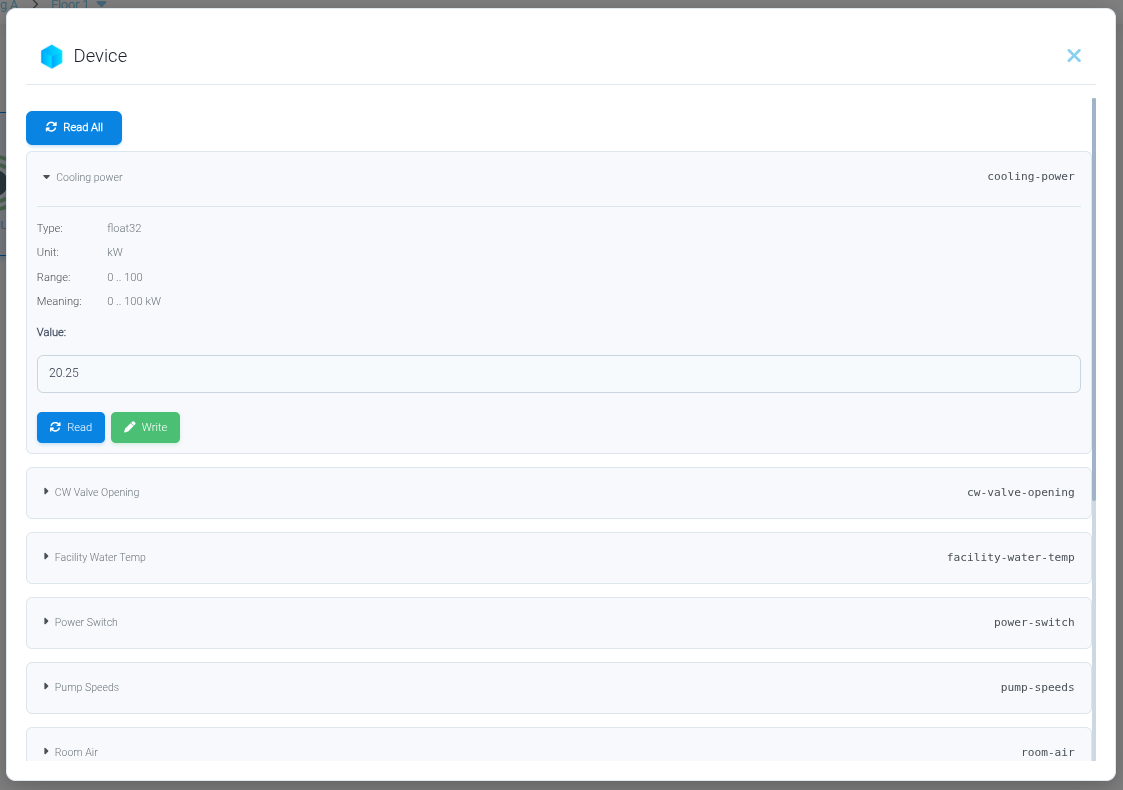
- Double-click on your IoT device to open it
- The device properties are listed in the panel
- Use the Read button to retrieve current property values
- Use the Write button to update property values
Simulated Devices
You can view and manage simulated devices in the same way as real IoT devices.
2. Read and Write Devices Using Logic Flows
Create a Logic Flow to automate IoT device operations.
- Navigate to the main dashboard and Click Create Project → Flow Project
-
Create a new project named "Module 7" and a new Logic Flow named "IoT Operations"
-
Place the BLOX on the flow canvas:
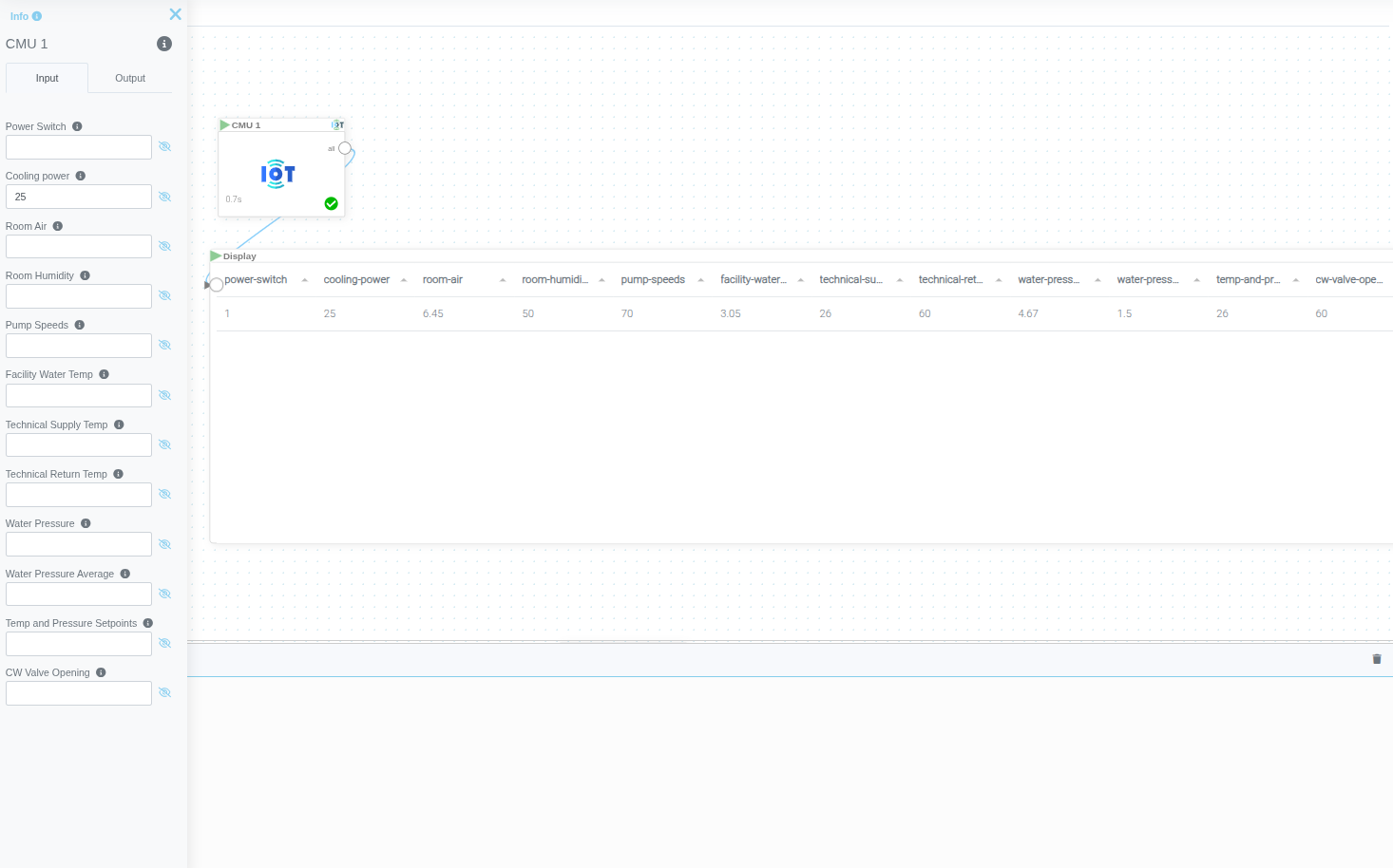
MyDevices/{your_device}
- Enter new property values in the corresponding inputs to write data
- Run the BLOX to read current property values
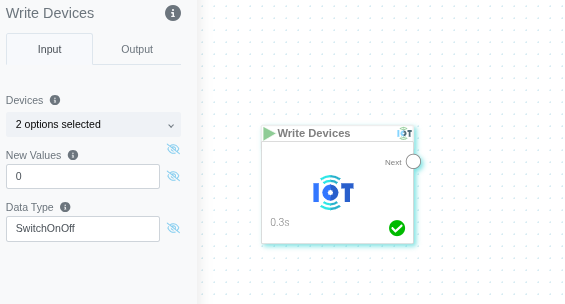
MyDevices/Write Devices
- Update a specific property type across multiple devices with the same value
Zone Operations
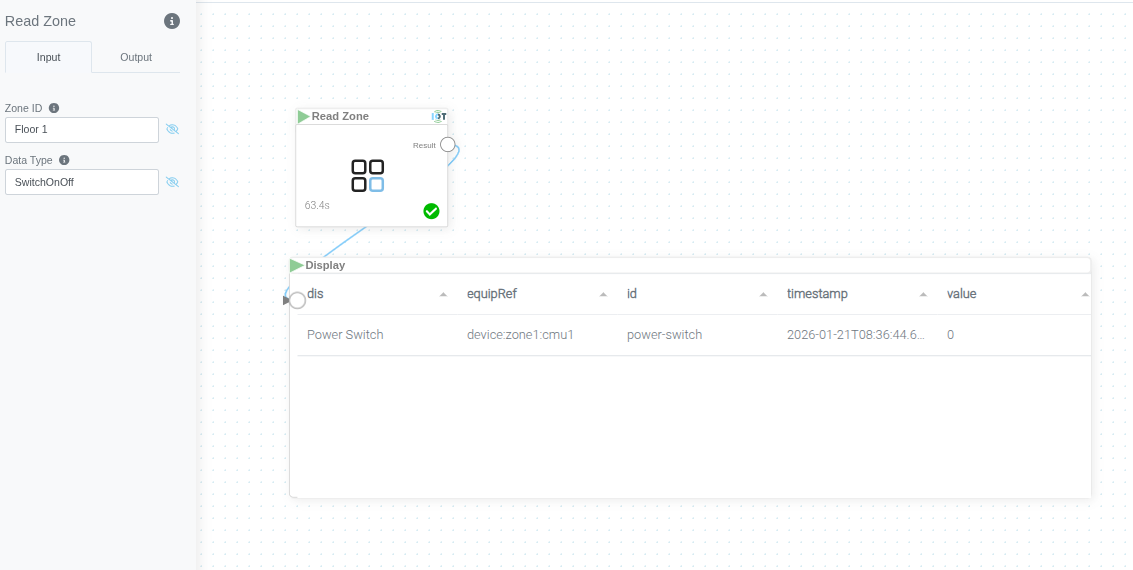
MyDevices/Read Zone
- Read a specific property type from all devices within a zone
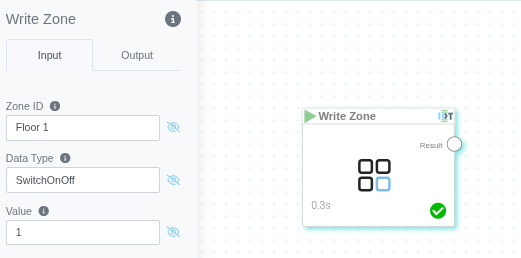
MyDevices/Write Zone
- Write a specific property type to all devices within a zone
Summary
You've successfully learned how to:
✓ Read and write device properties using the Device Card interface
✓ Create Logic Flows for IoT device operations
✓ Perform individual device read/write operations with Device BLOX
✓ Execute bulk operations across multiple devices
✓ Read from and write to all devices within a zone