Mission 3: Flows as Backend
Estimated time: 10 minutes
Learning Objective
Learn how to use Flows as backend endpoints that can be accessed via API. In this mission, you'll combine Flows with the skills you've gained throughout this course to create custom backend logic that can be triggered from external applications.
Prerequisites
Please refer to the Navigation Guide to familiarize yourself with the platform interface before starting this mission.
BLOX Used in This Mission
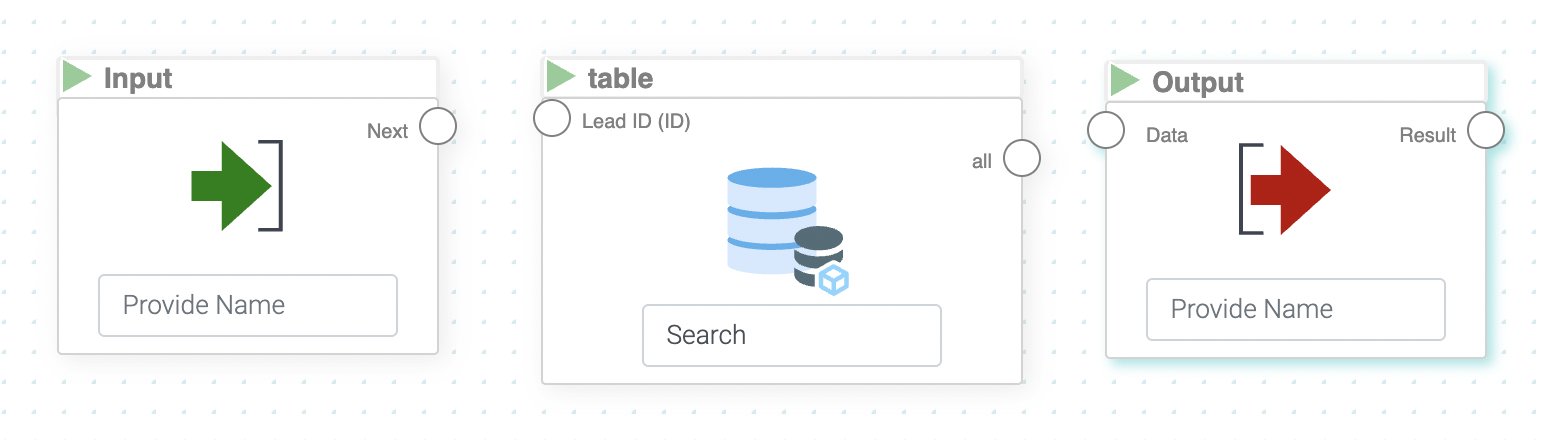
- Basics/Input - For receiving parameters
- Basics/Output - For returning results
- MyData/table.csv - Your imported data table
You can also add more Inputs and Outputs as needed for your custom logic.
Step-by-Step Instructions
1. Stay in Your Backend Project
You can stay in the "My Backend" folder for this mission.
2. Create a New Flow
Create a new Flow via Add Item → Create Flow and name it "Backend Flow"
3. Add the MyData BLOX
- Open the Flow and add the MyData BLOX for the table you imported earlier
- Scroll down in the sidebar to find "Deal Size"
- Click the eye icon next to "Deal Size"
- Select "Greater Equal"
4. Add an Input BLOX
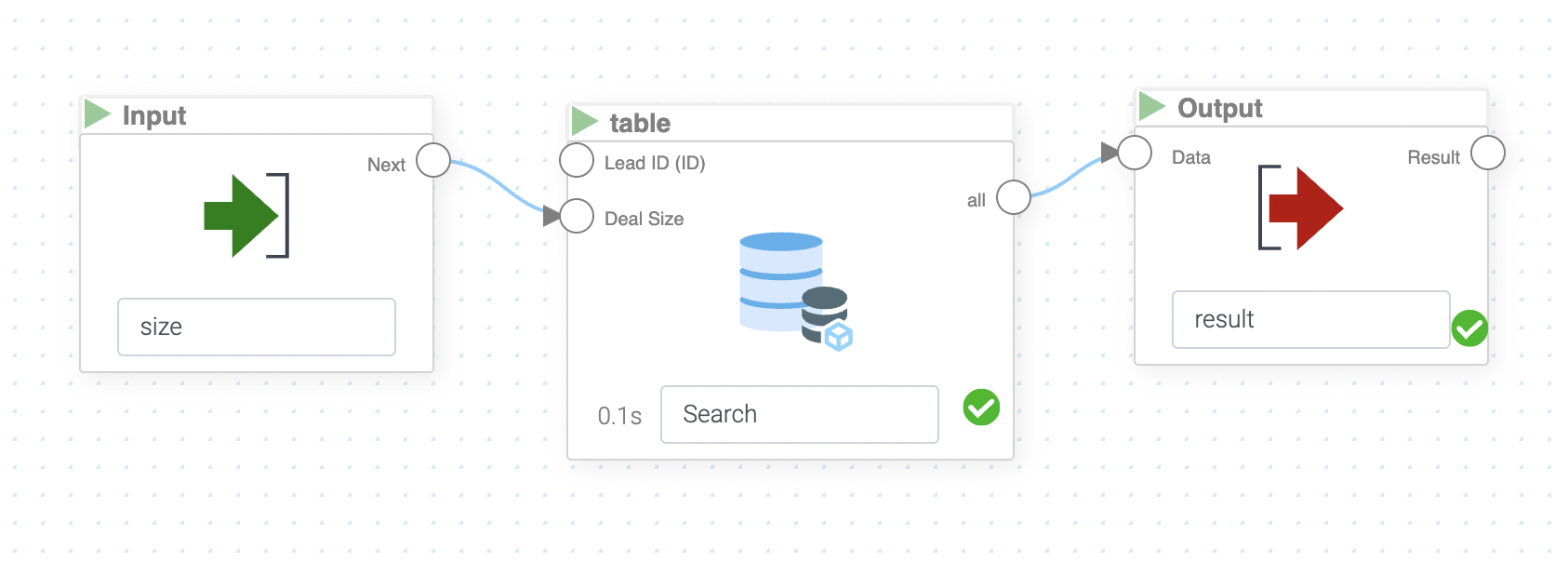
- Connect an Input BLOX to the "Deal Size" attribute
- Give the Input BLOX a name (e.g., "Minimum Deal Size")
- Set a test parameter (e.g.,
500)
This Input will allow external applications to pass a value for filtering.
5. Add an Output BLOX
- Connect the MyData BLOX to an Output BLOX
- Give the Output a name (e.g., "Filtered Results")
6. Test the Flow
Run the Flow to verify it works. The Flow should return all entries from the database with a deal size greater than or equal to your test parameter (e.g., 500).
7. Save and Access via API
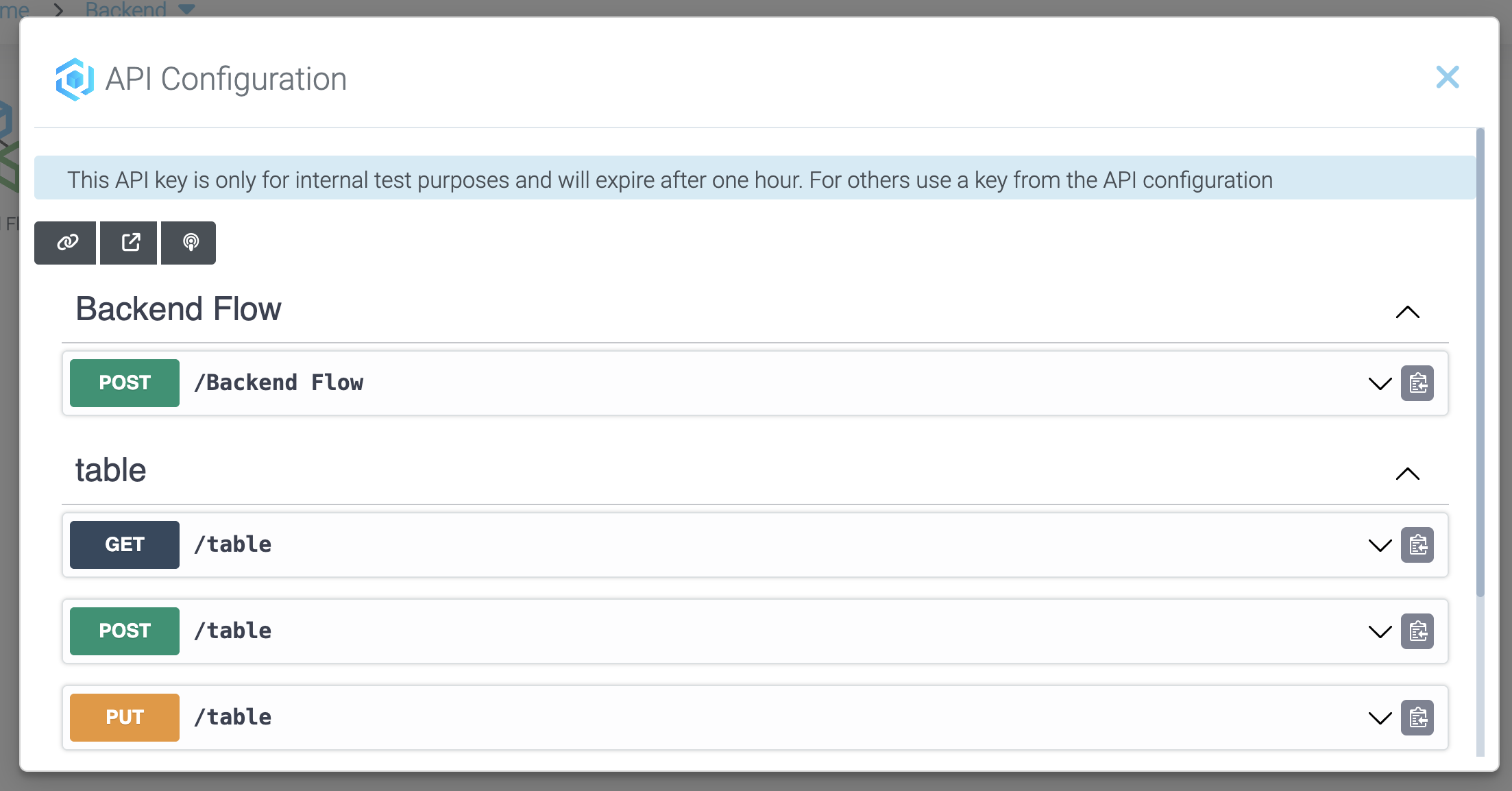
- Save and exit the Flow
- Go to the API Documentation (see Mission 1)
- You'll now see the flow listed as an available API endpoint!
8. Integrate into External Projects
You can now integrate this Flow into your external projects just like in Mission 2, passing parameters and receiving filtered results.
How It Works
The Flow as API Endpoint
- External Application - Sends a request with parameters (e.g., minimum deal size)
- API Gateway - Authenticates using your API key
- Flow Execution - LOGIBLOX runs your Flow with the provided parameters
- Data Processing - Flow filters data based on your logic
- Response - Returns filtered results to the application
Advantages of Flow-Based APIs
- Custom Logic - Implement any business logic you need
- Data Transformation - Process data before returning it
- Multi-Step Operations - Chain multiple BLOX for complex workflows
- Reusability - Same Flow can be used in apps and via API
- No Coding - Build backend endpoints without programming
Use Cases
| Scenario | Implementation |
|---|---|
| Filtered Data Retrieval | Pass filter criteria to get specific records |
| Data Aggregation | Calculate totals, averages, counts before returning |
| Multi-Table Joins | Combine data from multiple sources |
| Custom Calculations | Perform business logic and return results |
| Validation | Check data validity before processing |
Extending This Concept
You can create more complex Flows that:
- Accept multiple input parameters
- Perform calculations and transformations
- Join multiple data sources
- Apply AI predictions
- Return formatted results
- Trigger other workflows
Summary
You've successfully learned how to:
✓ Create Flows that function as API endpoints
✓ Add Input BLOX for parameters
✓ Add Output BLOX for results
✓ Configure data filtering with MyData BLOX
✓ Test Flow logic before exposing as API
✓ Access Flow endpoints in API Documentation
✓ Integrate Flow-based APIs into external applications
Congratulations!
You've completed the LOGIBLOX Academy! You now have the skills to:
✓ Manage and transform data
✓ Build AI agents and models
✓ Create automated workflows
✓ Develop interactive dashboards and apps
✓ Build REST APIs and backend solutions
✓ Integrate LOGIBLOX with external applications
You're ready to apply these skills to real-world business challenges and build powerful, automated solutions!
Well done! You've finished the academy!