Mission 5: Querying Data
Learning Objective
Learn how to understand your data by asking questions using natural language prompts. This leverages LOGIBLOX's AI-powered GPT technology.
Dataset
Download the required dataset: business_transaction.xlsx
Step-by-Step Instructions
1. Open Your Dataset
First, open the data that you want to query (i.e., ask questions about).
2. Enter Your Prompt
Input your question in natural language. Think of it as having a conversation with your data.
3. Example Query
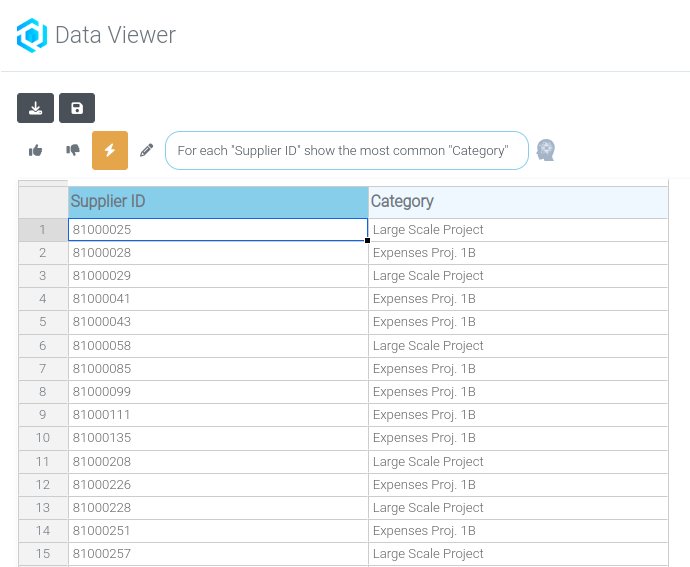
In this example, we want to know: For each Supplier ID, which is the most common Category?
We write the prompt: "For each 'Supplier ID' show the most common 'Category'"
Visual Guide
Entering the Prompt

Result
Tips for Effective Prompts
- Be specific - Reference column names in quotes
- Use clear language - Ask questions as you would to a colleague
- Start simple - Begin with basic queries and build complexity
- Iterate - Refine your prompts based on results
Summary
You've successfully learned how to:
✓ Use natural language to query data
✓ Leverage AI-powered GPT technology for data analysis
✓ Ask questions about relationships in your data
✓ Get instant insights without writing code